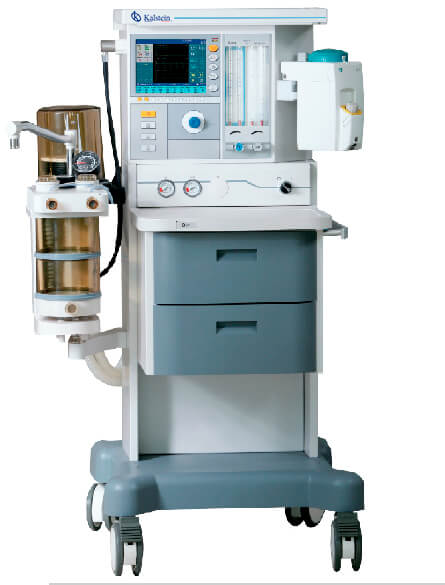
Common Errors and Troubleshooting by Symptoms for the YR02084 Operation Theatre Ceiling Pendant
The YR02084 Operation Theatre Ceiling Pendant is a critical component in modern surgical environments, providing essential support for medical equipment in operating theaters, intensive care units, and recovery rooms. As with any sophisticated medical device, users may encounter various operational challenges. Understanding common errors and troubleshooting methods can significantly improve the efficiency and longevity of the YR02084. This article offers in-depth insights into frequent symptoms, their probable causes, and effective solutions.
Technical Specifications of the YR02084
| Specification | Details |
|---|---|
| Model | YR02084 |
| Arm Rotating Radius | 800mm + 800mm |
| Arm Rotating Angle | 340° |
| Braking System | Friction brake |
| Maximum Load Capacity | 120 kg |
| Standard Configuration | 1 Oxygen (O2), 1 Air, 1 Suction (Vac), 1 Jet Exhaust Emission (AGSS), 6*10A Power Outlets, 1 Network Socket, 1 Grounding Terminal, Column Length L=1000mm, 1 Guideway Extension Arm (240*240mm) |
| Annex | 2 Pallets, 1 Drawer, 1 Infusion Stand |
Troubleshooting by Symptoms
Effective troubleshooting begins with identifying the symptoms of the problem at hand. Below are common symptoms users might encounter with the YR02084, along with probable causes and solutions.
1. Equipment Does Not Power On
This symptom may arise from several factors, including electrical supply issues or internal component failures.
- Probable Causes:
- Disconnected power supply
- Faulty circuit breaker
- Internal wiring issues
Solutions:
- Check all power connections and ensure the pendant is plugged in securely.
- Inspect the circuit breaker for any tripped switches and reset if necessary.
- Examine internal wiring for signs of damage or wear.
2. Inconsistent Load Handling
If the pendant does not maintain its position when loaded, it indicates a potential issue with the braking system.
- Probable Causes:
- Worn out friction brakes
- Improperly calibrated load settings
Solutions:
- Inspect the friction brakes for wear and replace if necessary.
- Calibrate the load settings according to the manufacturer's guidelines.
3. Noisy Operation
Unusual noises during operation can indicate mechanical issues.
- Probable Causes:
- Lack of lubrication in moving parts
- Loose components
Solutions:
- Lubricate all moving parts as recommended by the manufacturer.
- Tighten any loose components to eliminate rattling or vibrating noises.
4. Difficulty in Arm Rotation
If the arm rotation is stiff or unresponsive, this may signal mechanical restrictions.
- Probable Causes:
- Blocked or damaged pivot points
- Accumulation of debris
Solutions:
- Inspect the pivot points and clear any debris or blockages.
- Replace damaged components as needed.
5. Error Codes Displayed
Various error codes may appear on the control interface, indicating specific malfunctions.
- Probable Causes:
- Sensor failures
- Communication faults
Solutions:
- Refer to the error code manual for specific guidance on troubleshooting.
- Ensure all sensors are functioning correctly and replace any faulty units.
Symptom to Cause and Solution Table
| Symptom | Probable Cause | Solution |
|---|---|---|
| Equipment Does Not Power On | Disconnected power supply | Check power connections |
| Equipment Does Not Power On | Faulty circuit breaker | Inspect and reset circuit breaker |
| Inconsistent Load Handling | Worn out friction brakes | Replace friction brakes |
| Inconsistent Load Handling | Improperly calibrated load settings | Calibrate load settings |
| Noisy Operation | Lack of lubrication | Lubricate moving parts |
| Noisy Operation | Loose components | Tighten loose components |
| Difficulty in Arm Rotation | Blocked pivot points | Clear blockages |
| Error Codes Displayed | Sensor failures | Replace faulty sensors |
Frequently Asked Questions
What should I do if the YR02084 does not respond when turned on?
If the YR02084 does not respond when switched on, check the power connections and circuit breaker. If these are intact, there may be an internal issue requiring professional assessment.
How can I maintain the YR02084 to prevent common errors?
Regular maintenance should include inspecting the braking system, lubricating moving parts, and ensuring all connections are secure. Following the manufacturer’s maintenance schedule is advisable.
Are there specific calibration procedures for the YR02084?
Yes, calibration procedures specific to the YR02084 can be found in the manufacturer's manual. It is essential to follow these instructions to ensure accurate operation.
What are the most common error codes associated with the YR02084?
Common error codes typically involve sensor failures or communication errors. Refer to the user manual for a comprehensive list and troubleshooting steps for each code.
Can I perform repairs on the YR02084 myself?
While some minor adjustments and maintenance can be performed by trained personnel, significant repairs should be conducted by qualified technicians to maintain safety and compliance with regulations.
How can I contact support for issues beyond basic troubleshooting?
For advanced support, it is best to contact technical support or the manufacturer directly. Ensure to have your model information, including the YR02084 code, ready for reference.
If you are looking for a fusion of innovation and quality, you have come to the right place. At Kalstein, we offer you the luxury of exploring our exclusive catalog of laboratory equipment. We manufacture every device to the highest standards of excellence. Our intuitive and seamless online purchasing channels are designed for your convenience, securing the most competitive prices. Hesitate no longer — we bring science to life, it is time to become part of our community.