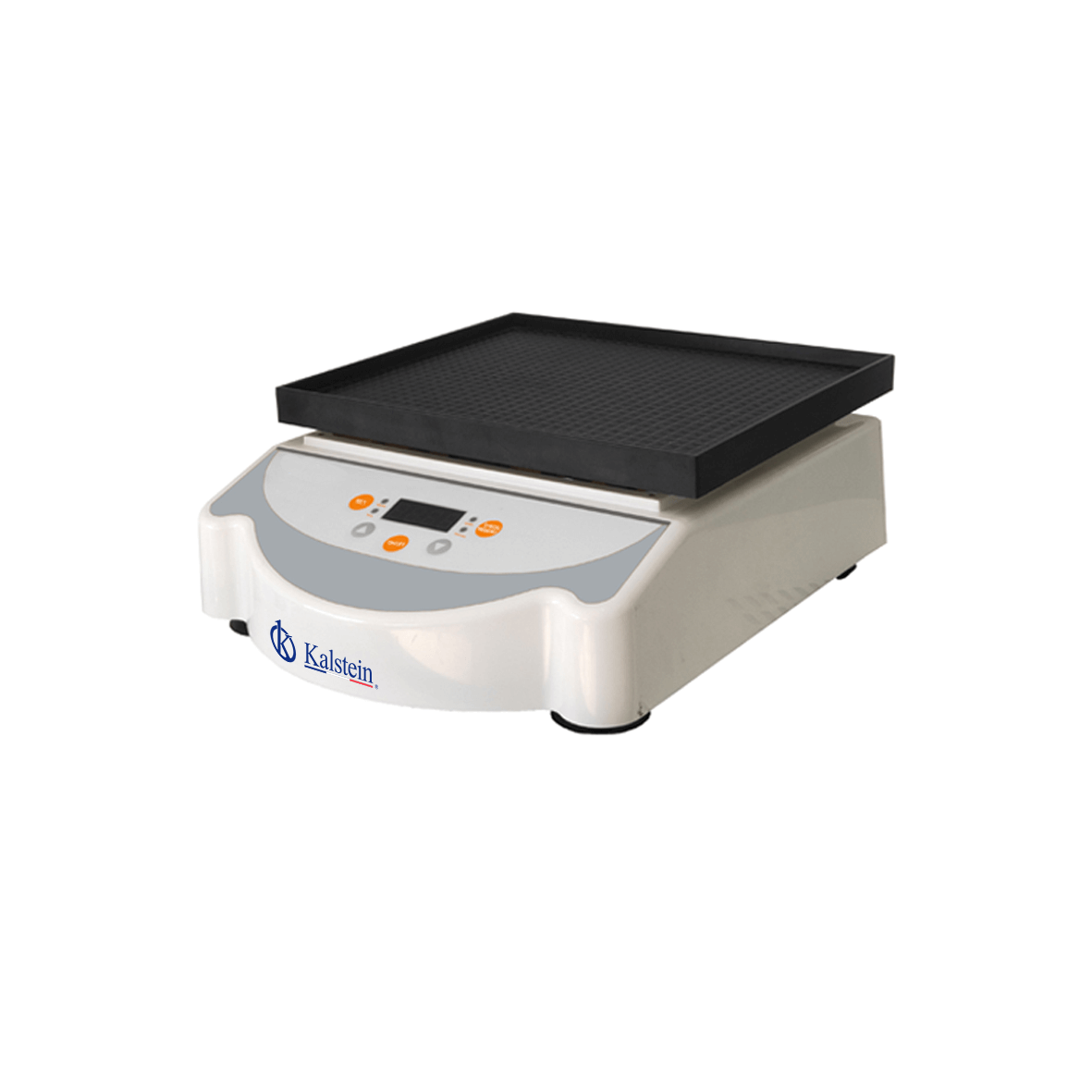
Environmental Conditions and Installation Requirements for the YR05768 Orbital Shaker
The YR05768 Orbital Shaker is a sophisticated piece of laboratory equipment that requires careful consideration of environmental conditions and installation requirements to operate effectively. Understanding these prerequisites is crucial for ensuring optimal performance and longevity of the device. In this article, we will explore the necessary environmental conditions, installation steps, and common pitfalls to avoid when setting up the YR05768.
Understanding Environmental Conditions
To ensure the YR05768 operates at peak efficiency, it is vital to maintain appropriate environmental conditions. These conditions include temperature, humidity, and power supply specifications. Below, we delve into the specific requirements for the YR05768:
Temperature Range
The YR05768 is designed to function within a temperature range of -10 °C to 65 °C. It is essential to monitor the ambient temperature closely, as operating outside this range can lead to malfunction or inaccurate results.
Humidity Control
Humidity levels can impact the operation of the YR05768. Ideally, keep humidity levels between 10% to 90% relative humidity, non-condensing. Excessive moisture can lead to electrical short circuits or damage sensitive internal components.
Power Supply Requirements
The YR05768 requires an AC power supply of 90-260V, 50-60Hz. Ensure that the power supply is stable and free from fluctuations to prevent damage to the unit and maintain consistent operation. Additionally, the use of a surge protector is recommended.
Installation Requirements for the YR05768
Proper installation is critical to the performance of the YR05768. The following sections outline the steps to correctly set up the equipment.
Unboxing and Initial Inspection
Upon receiving your YR05768, carefully unbox the unit and inspect it for any damage incurred during shipping. Ensure all components are included according to the manual.
Site Preparation Checklist
Before setting up the YR05768, ensure that the installation site meets specific preparation criteria:
| Requirement | Description |
|---|---|
| Stable Surface | The shaker must be placed on a flat, stable surface to avoid vibrations that could affect performance. |
| Ventilation | Ensure adequate ventilation to maintain optimal operating temperatures. |
| Clearances | Maintain clearances of at least 10 cm on all sides of the unit for air circulation. |
| Accessible Power Socket | Position the shaker near an accessible power outlet to avoid using extension cords. |
Leveling the Equipment
After placing the YR05768 on a stable surface, use a level to ensure the unit is perfectly horizontal. Adjust the feet of the shaker accordingly to achieve balance.
Power-Up Sequence and Calibration
Once the YR05768 is leveled, connect it to the power supply and turn it on. Allow the device to run through its self-check process. Perform a calibration check as specified in the user manual to ensure accurate readings.
Common Setup Mistakes
Even seasoned operators can overlook critical setup steps. Here are common mistakes to avoid when installing the YR05768:
- Ignoring temperature and humidity conditions.
- Failing to level the shaker properly.
- Not ensuring adequate ventilation around the unit.
- Neglecting to calibrate the device post-installation.
Technical Specifications of the YR05768
| Specification | Details |
|---|---|
| Model | YR05768 |
| Shaking Mode | Waving / Three-dimensional |
| Control | PID Microcomputer Control |
| Monitor | Digital LED Display |
| Amplitude | 3-15° (manual) |
| Frequency (rpm/min) | 15-90 |
| Sensitivity (rpm) | ±2 |
| Timer | 0-99 hours 59 minutes |
| Tray Size (mm) | 320×265 |
| Number of Trays | 1 |
| Overall Size (mm) | 330x480x180 |
| Power Consumption | 30W |
| Power Supply | AC 90-260V, 50-60HZ |
| Operating Temperature | -10 °C-65 °C |
Frequently Asked Questions
What is the ideal temperature range for operating the YR05768?
The ideal temperature range for operating the YR05768 is -10 °C to 65 °C. Keeping the device within this range ensures optimal performance and prevents malfunctions.
How do I calibrate the YR05768 after installation?
Calibration of the YR05768 should be performed using the procedures outlined in the user manual. Typically, this involves setting a known standard and adjusting the display to match expected values.
What precautions should I take to avoid setup mistakes?
To avoid setup mistakes, ensure you adhere to the site preparation checklist, level the equipment properly, maintain the right environmental conditions, and follow the calibration procedures diligently.
Can humidity affect the performance of the YR05768?
Yes, humidity levels can significantly affect the performance of the YR05768. It is advisable to maintain humidity levels between 10% to 90% relative humidity, non-condensing.
What should I do if the YR05768 does not power on?
If the YR05768 does not power on, check the power supply and ensure that it is connected properly. Verify that the power outlet is working and that the unit has not experienced any internal faults.
Are there specific safety measures for using the YR05768?
Yes, ensure that the unit is placed on a stable surface, avoid overloading the tray, and always follow the manufacturer's safety guidelines when operating the device.
How can I request a quote for the YR05768?
You can request a quote for the YR05768 by contacting our sales team or visiting our online portal to inquire about pricing and availability.
If you are looking for a fusion of innovation and quality, you have come to the right place. At Kalstein, we offer you the luxury of exploring our exclusive catalog of laboratory equipment. We manufacture every device to the highest standards of excellence. Our intuitive and seamless online purchasing channels are designed for your convenience, securing the most competitive prices. Hesitate no longer — we bring science to life, it is time to become part of our community.