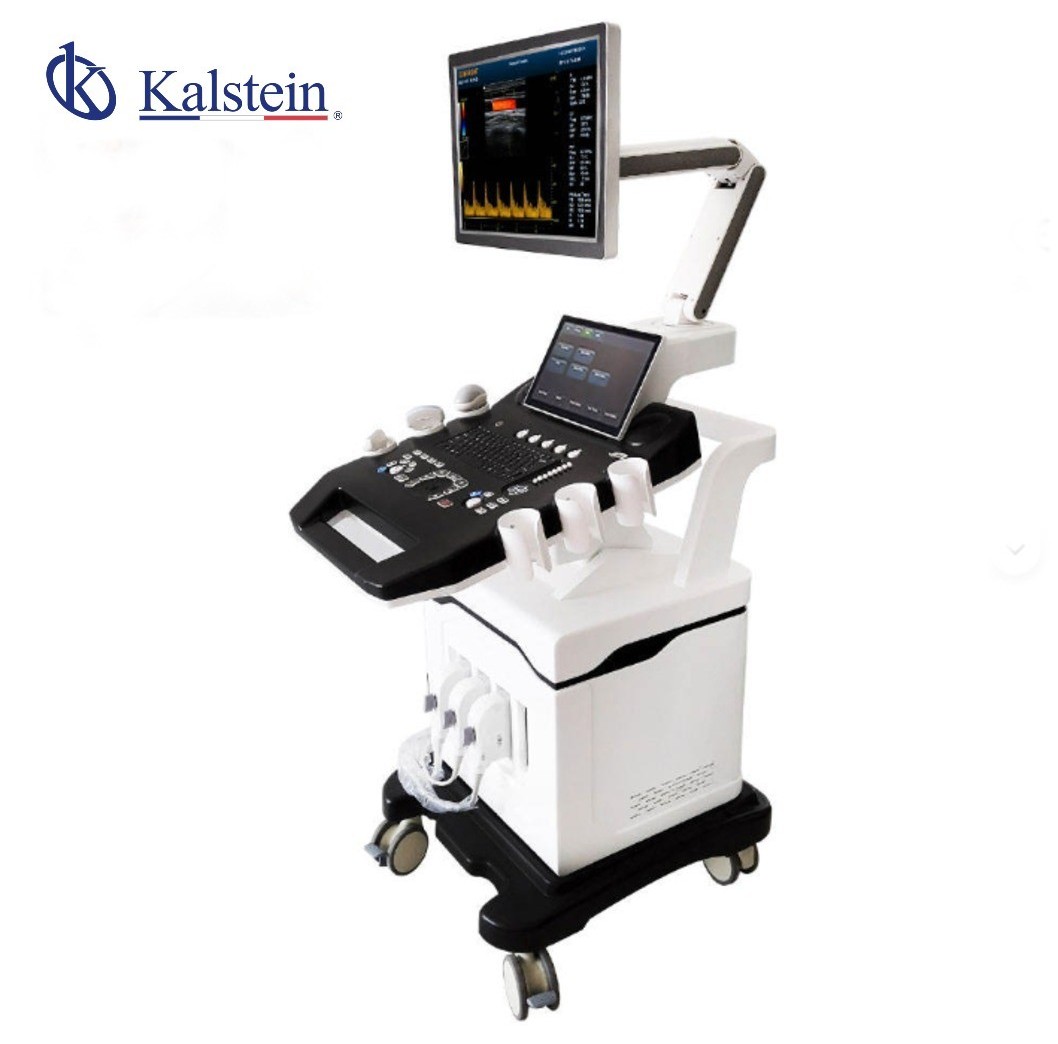
What are the Environmental Conditions and Installation Requirements for the YR06635 Ultrasound Scanner?
The YR06635 is a premium diagnostic imaging solution that integrates advanced 3D and 4D color Doppler ultrasound technologies. To ensure optimal performance and longevity of the YR06635 Ultrasound Scanner, it is crucial to adhere to specific environmental conditions and installation requirements. This article focuses on discussing these critical aspects in detail.
Overview of YR06635 Ultrasound Scanner
The YR06635 is designed for modern medical and veterinary centers that demand exceptional precision across a wide range of applications, including abdominal studies, cardiac evaluations, and high-complexity obstetrics and gynecology. Understanding the optimal environmental conditions and installation requirements is essential for ensuring that the equipment operates efficiently and reliably.
Technical Specifications of YR06635
| Feature | Specification |
|---|---|
| Model | YR06635 |
| Monitor | 15 inch LED (1024 x 768) |
| Transducer Ports | 4 Active Ports |
| Storage | 64GB SSD (Optional 120GB/200GB) |
| USB Ports | 4 Ports |
| Cine Memory | 1200 Frames |
| Image Formats | PNG, AVI, BMP, JPEG, DICOM |
| Image Modes | B, 2B, 4B, M, B/M, B/C, PW, CW, CFM, 4D |
| Connectivity | Ethernet (100Mb/1000Mb), VGA, HDMI, DICOM 3.0 |
| Beamformer Frequency | 1 to 40 MHz |
| Equipment Dimensions | 73 x 113 x 144 cm |
| Equipment Weight | 80 kg |
| Package Weight | 200 kg |
Environmental Conditions for YR06635
To ensure the YR06635 Ultrasound Scanner operates effectively, it must be used within specified environmental conditions. These include temperature, humidity, and other factors that can affect performance and accuracy.
- Operating Temperature: The ideal operating temperature for the YR06635 is between 10°C to 35°C. Excessive heat or cold can impact the device's functionality.
- Humidity Levels: Maintain humidity levels between 30% and 75%, non-condensing. High humidity can lead to moisture damage to the internal components.
- Voltage and Frequency: Ensure that the power supply matches the required voltage (usually 110V to 240V) and frequency (50Hz to 60Hz) for operation.
- Vibration and Electromagnetic Interference (EMI): The installation site should be free from excessive vibration and electromagnetic interference, which can disrupt the equipment's operation.
- Clearances and Ventilation: Ensure there is adequate clearance around the YR06635 for ventilation. The recommended distance is at least 30 centimeters from walls or other obstructions.
Installation Requirements for YR06635
Proper installation is vital for the successful operation of the YR06635. The following steps outline the installation process:
- Unboxing and Inspection: Carefully unbox the YR06635 and inspect all components for damage or missing parts. Ensure that the monitor, cords, and accessories are present.
- Positioning the Scanner: Place the scanner on a stable surface that meets the weight requirements (80 kg). Ensure the area is free of dust and moisture.
- Leveling the Unit: Use a bubble level to ensure that the scanner is perfectly level before powering it on. An unlevel unit can lead to inaccuracies in readings.
- Connecting Power and Data: Connect the power supply and data cables to the appropriate ports. Ensure all connections are secure.
- Calibration: Perform initial calibration according to the user manual instructions. This may include setting up the display parameters and verifying the functionality of transducer ports.
- Network Setup: If applicable, configure the Ethernet connection to the network to enable data transfer and remote access features.
Common Installation Mistakes to Avoid
During the installation of the YR06635, it's essential to be aware of common mistakes that can hinder performance:
- Inadequate Ventilation: Failing to provide adequate space for ventilation can lead to overheating and malfunctions.
- Incorrect Power Supply: Using a power supply that does not match the required specifications can damage the unit.
- Neglecting Calibration: Skipping the calibration step can lead to inaccurate readings and diagnostic errors.
Site Preparation Checklist
| Checklist Item | Description |
|---|---|
| Temperature Control | Ensure the room maintains a temperature between 10°C to 35°C. |
| Humidity Control | Maintain humidity levels between 30% and 75%, without condensation. |
| Stable Surface | Use a stable surface that can support the weight of the scanner (80 kg). |
| Leveling Tools | Have a bubble level ready for proper positioning of the unit. |
| Power Supply | Verify that the power supply meets voltage and frequency requirements. |
| Clear Space | Ensure at least 30 cm of clearance around the unit for ventilation. |
Frequently Asked Questions
What environmental conditions are required for the YR06635 Ultrasound Scanner?
The YR06635 requires an operating temperature between 10°C to 35°C and humidity levels between 30% and 75%, non-condensing. Proper ventilation and minimal electromagnetic interference are also critical.
How should the YR06635 be installed to ensure optimal performance?
When installing the YR06635, ensure it is positioned on a stable surface, leveled correctly, and connected to the appropriate power supply. Calibration and network setup should also be performed according to the manual.
What are common mistakes to avoid during the installation of the YR06635?
Common mistakes include inadequate ventilation, incorrect power supply connections, and neglecting the calibration process, which can all lead to performance issues or equipment damage.
Is there a checklist for preparing the site for the YR06635 Ultrasound Scanner?
Yes, a site preparation checklist includes ensuring proper temperature and humidity control, providing a stable surface, using leveling tools, verifying the power supply, and ensuring adequate clearance around the unit for ventilation.
What should be done if the YR06635 displays error messages related to environmental conditions?
If the YR06635 displays error messages, first check the temperature and humidity levels in the environment. Ensure the unit is properly ventilated and that the power supply meets the specified requirements.
Can the YR06635 operate in extreme temperatures or humidity levels?
No, the YR06635 is not designed to operate outside the specified temperature range of 10°C to 35°C or humidity levels of 30% to 75%. Operating outside these conditions can lead to equipment failure.
How can I ensure the longevity of the YR06635 Ultrasound Scanner?
To ensure longevity, maintain proper environmental conditions, perform regular maintenance as per the user manual, and avoid placing the unit in direct sunlight or near sources of moisture.
If you are looking for a fusion of innovation and quality, you have come to the right place. At Kalstein, we offer you the luxury of exploring our exclusive catalog of laboratory equipment. We manufacture every device to the highest standards of excellence. Our intuitive and seamless online purchasing channels are designed for your convenience, securing the most competitive prices. Hesitate no longer — we bring science to life, it is time to become part of our community.