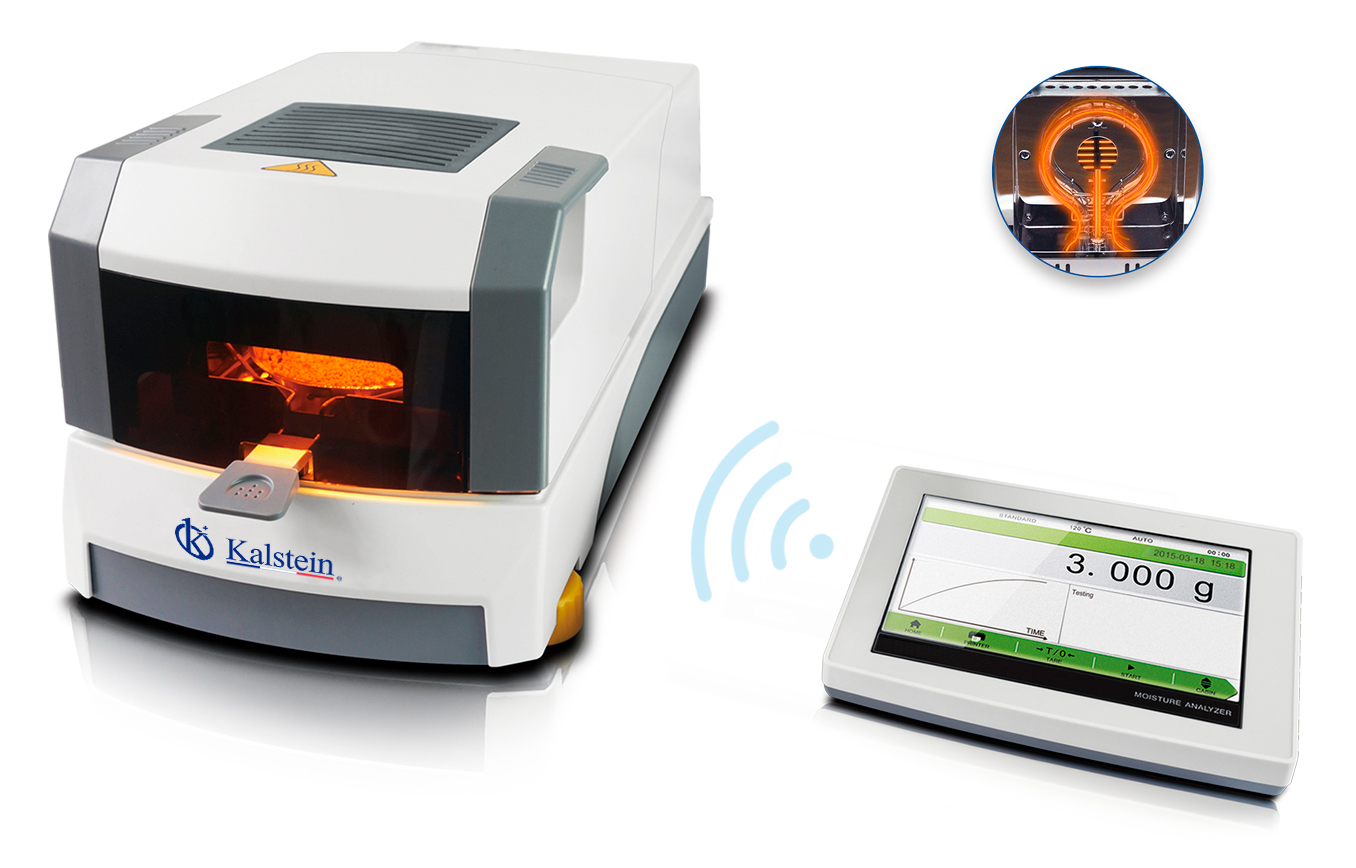
Installation and Commissioning Guide for the YR05558 Halogen Moisture Analyzer
The YR05558 Halogen Moisture Analyzer is an advanced instrument designed for precise moisture content measurement in various materials. The following guide provides detailed steps for installation and initial setup, ensuring your device operates at optimal levels from the start. By following the outlined procedures, users can avoid common pitfalls and ensure accurate moisture readings.
Understanding the YR05558 Halogen Moisture Analyzer
The YR05558 utilizes halogen heating technology to quickly and accurately determine the moisture content of samples. Equipped with a 7-inch touchscreen, it allows for easy navigation and control. The automatic door and transparent window facilitate straightforward sample observation during the measurement process. The device's dual motor drive design ensures consistent heating, while the stainless steel control chamber provides durability.
Technical Specifications of the YR05558
| Model | Capacity | Readability | Operating Temperature | Heating Source |
|---|---|---|---|---|
| YR05558 | 110g | 0.001g | 5℃-35℃ | Halogen Lamp |
Unboxing and Initial Setup
Upon receiving your YR05558, carefully unpack the device and check for all components including the moisture analyzer, power cord, and user manual. Ensure that the unit has no visible damage during transit. A checklist for unboxing includes:
- YR05558 Moisture Analyzer
- Power Cord
- User Manual
- Calibration Weights (if included)
Anchoring and Leveling the YR05558
For optimal performance, place the YR05558 on a stable, level surface. Use a spirit level to ensure that the analyzer is properly leveled. Avoid areas with direct sunlight or heat sources which can affect measurements. If necessary, use adjustable feet or shims to stabilize the unit. Ensure that there is sufficient space around the analyzer for ventilation and accessibility to ports.
Power-Up Sequence and First-Run Calibration
Connect the power cord to the YR05558 and plug it into a suitable power outlet. Upon powering on, the device will initiate a self-check sequence. During the first-run calibration, follow these steps:
- Access the calibration menu from the touchscreen interface.
- Select the appropriate calibration weights for the unit.
- Follow the on-screen instructions to complete the calibration process.
Network/USB Setup
The YR05558 features both USB and network connectivity options for data transfer. To connect the device to a PC or printer, follow these steps:
- Locate the USB port on the rear panel of the analyzer.
- Connect the USB cable to both the analyzer and your PC or printer.
- For network connection, use the RS232 or RJ45 port as required by your configuration.
Ensure that all connections are secure to avoid data loss during transfers.
Common Setup Mistakes to Avoid
Many users encounter issues during the initial setup which can lead to inaccurate measurements. Here are some common mistakes to avoid:
- Not leveling the device properly.
- Inadequate ventilation leading to overheating.
- Failing to calibrate the device before first use.
- Connecting to incompatible devices or using the wrong power supply.
Frequently Asked Questions
What are the primary features of the YR05558 Halogen Moisture Analyzer?
The YR05558 features a 7-inch touchscreen, automatic door, halogen lamp heating source, dual motor design, and a stainless steel control chamber, making it suitable for a variety of moisture analysis applications.
How do I calibrate the YR05558 for the first time?
To calibrate the YR05558 for the first time, access the calibration menu on the touchscreen, follow the prompts to select calibration weights, and complete the calibration process as instructed.
What should I do if the YR05558 does not power on?
If the YR05558 does not power on, check the power connections, ensure the outlet is functional, and verify the power supply specifications match the device requirements.
Can I connect the YR05558 to a computer for data transfer?
Yes, the YR05558 can be connected to a computer using USB or network connections. Ensure the correct ports and settings are configured for successful data transfer.
What maintenance is required for the YR05558?
Regular maintenance includes cleaning the heating chamber, checking for software updates, and performing periodic calibration to ensure accuracy over time.
Is the YR05558 suitable for industrial applications?
Yes, the YR05558 is versatile and can be utilized in various sectors, including industrial and laboratory environments, for accurate moisture measurements.
How can I request a quote for the YR05558?
You can request a quote for the YR05558 Halogen Moisture Analyzer through our online catalog or by contacting our sales team for assistance.
If you are looking for a fusion of innovation and quality, you have come to the right place. At Kalstein, we offer you the luxury of exploring our exclusive catalog of laboratory equipment. We manufacture every device to the highest standards of excellence. Our intuitive and seamless online purchasing channels are designed for your convenience, securing the most competitive prices. Hesitate no longer — we bring science to life, it is time to become part of our community.