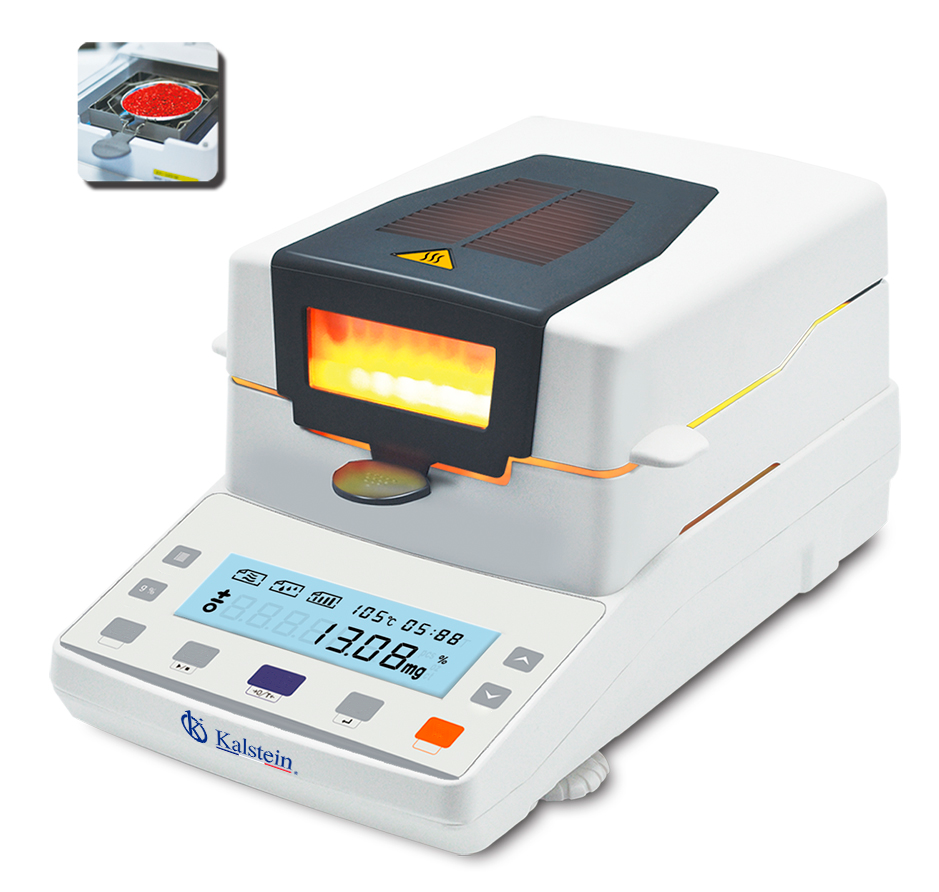
Installation and Startup Guide for the YR05554 Halogen Moisture Analyzer
The YR05554 Halogen Moisture Analyzer is an advanced laboratory instrument designed for accurate moisture measurement in various samples. Proper installation and startup are crucial to ensure the correct functioning of the device. This guide will cover detailed steps that will help you successfully install and set up your YR05554.
Understanding the YR05554 Halogen Moisture Analyzer
The YR05554 operates on the principles of halogen heating, which delivers rapid and uniform heating of the sample. This method, combined with a highly sensitive HBM sensor, allows for precise measurement of moisture content, providing results that are crucial for quality control in various industries.
Technical Specifications of the YR05554
| Model | YR05554 |
|---|---|
| Capacity | 110g |
| Readability | 0.002g |
| Operating Temperature | 5℃-35℃ |
| Monitor | LCD (white backlight with black text) |
| Calibration | External Calibration |
| Interface | RS232/RJ45/USB |
| Pot Size | Ø90mm |
| Gross Weight | 7.5kg |
| Heating Source | Halogen Lamp |
| Temperature Range | 40℃-199℃ |
Unboxing and Setup Checklist
Upon receiving your YR05554, it is essential to perform an unboxing and setup checklist:
- Inspect for any shipping damage.
- Verify that all components are included: moisture analyzer, power cable, calibration weights, and user manual.
- Ensure the work surface is stable and within the specified temperature range.
- Prepare power connections according to the specified voltage requirements (220V ±15% 50HZ or 110V ±15% 60HZ).
Anchoring and Leveling the YR05554
Proper anchoring and leveling ensure accuracy in measurement. Follow these steps:
- Place the device on a flat, stable surface.
- Use the built-in leveling feet to adjust any discrepancies.
- Ensure that the analyzer is not subjected to vibrations or external disturbances.
Power-Up Sequence and Initial Calibration
To power up the YR05554:
- Connect the power cable.
- Switch on the device using the main power button.
- Allow the unit to warm up for a few minutes before initiating calibration.
For initial calibration, follow the manufacturer's guidelines and use the external calibration weights provided with the device.
Common Setup Mistakes to Avoid
During installation, common mistakes can lead to inaccurate measurements:
- Not leveling the device correctly, resulting in biased readings.
- Using improper power supply settings, leading to device malfunction.
- Failing to perform initial calibration before use.
Frequently Asked Questions
What are the optimal environmental conditions for the YR05554?
The YR05554 operates best in environments where the temperature is between 5℃ and 35℃ and relative humidity is controlled to avoid condensation on the device.
How do I perform a calibration on the YR05554?
Calibration involves using external weights that are specific to the YR05554. Follow the calibration procedure outlined in the user manual, ensuring to use weights that meet the specified accuracy requirements.
What should I do if the YR05554 displays an error code?
If an error code appears, refer to the troubleshooting section of the user manual. Common solutions include checking the power supply, ensuring proper sample placement, or recalibrating the device.
How can I ensure accurate readings with the YR05554?
Accurate readings can be ensured by regularly calibrating the device, maintaining a clean sample pan, and adhering to the recommended operational procedures.
What are the maintenance requirements for the YR05554?
Regular cleaning of the halogen lamp and sample chamber is essential. Ensure the device is calibrated at regular intervals as per the operational guidelines provided in the manual.
Can I connect the YR05554 to a computer?
Yes, the YR05554 features interfaces such as RS232/RJ45/USB, allowing for connection to computers for data logging and analysis.
Conclusion
If you are looking for a fusion of innovation and quality, you have come to the right place. At Kalstein, we offer you the luxury of exploring our exclusive catalog of laboratory equipment. We manufacture every device to the highest standards of excellence. Our intuitive and seamless online purchasing channels are designed for your convenience, securing the most competitive prices. Hesitate no longer — we bring science to life, it is time to become part of our community.