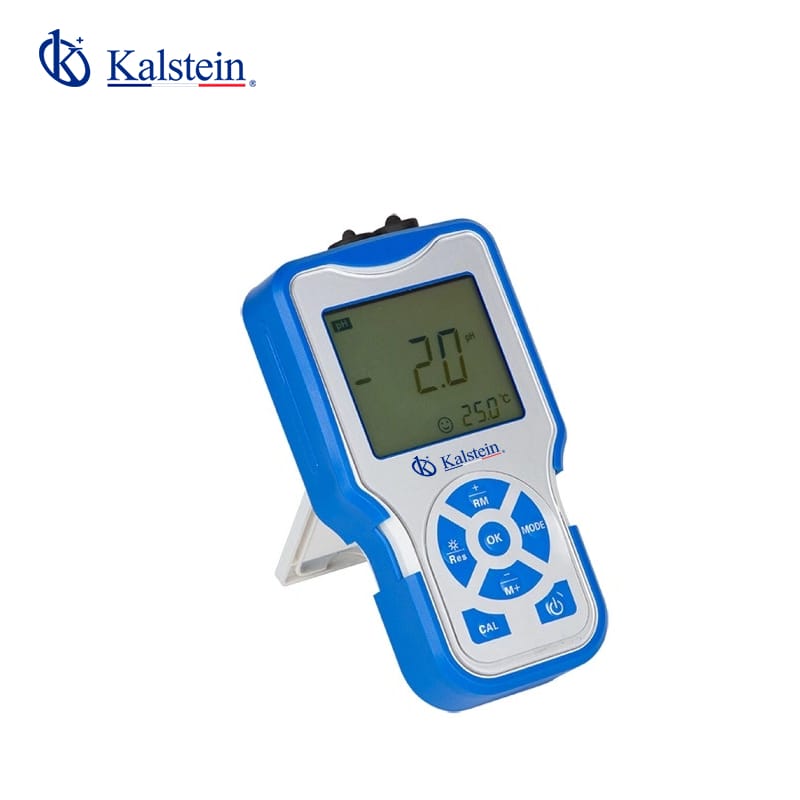
Troubleshooting Common Issues with the YR01806 Pocket Conductivity Meter
The YR01806 Pocket Conductivity Meter is an essential tool for measuring the conductivity of liquids in various scientific and industrial applications. Despite its advanced features, users may encounter some common issues that can affect performance. This guide aims to help you identify these problems, understand their causes, and provide effective solutions.
Understanding the YR01806 Pocket Conductivity Meter
| Model | YR01806 |
|---|---|
| Measuring Range for Conductivity | (0.00~19.99)μS/cm; (20.0~199.9)μS/cm; (200~1999)S/cm; (2.00~19.99)mS/cm; (20.0~199.9)mS/cm |
| Resolution | 0.01/0.1/1μS/cm; 0.01/0.1 mS/cm |
| Accuracy | ±1.0% FS, Overall: ±1.5% FS |
| Temperature Compensation | (0~100)°C (Auto/manual) |
| Data Storage | 200 sets |
| Power Supply | Two AA batteries (1.5V x2) |
| IP Grade | IP57 Dustproof and waterproof |
Common Errors and Troubleshooting Solutions
When operating the YR01806 Pocket Conductivity Meter, you might run into a range of common problems, each of which can usually be resolved with a few troubleshooting techniques. Below, we will discuss these errors, their probable causes, and solutions.
Equipment Does Not Power On
If your YR01806 does not power on, consider the following possible causes:
- Weak or dead batteries: Ensure that the batteries are fresh and properly installed.
- Improper battery connection: Check for any corrosion on the battery terminals that may affect connection.
Solution: Replace the batteries with new ones and ensure they are connected correctly.
Error Code E-03
Error code E-03 typically indicates an issue with calibration. Possible causes include:
- Calibrated incorrectly: The meter may need recalibration using appropriate standard solutions.
- Faulty calibration solutions: Ensure the calibration solutions are not expired or contaminated.
Solution: Recalibrate the meter according to the user manual using fresh calibration solutions.
Inconsistent Readings
If the readings from your meter are inconsistent, it could be due to:
- Electrode contamination: Dirt or residue on the electrode can affect readings.
- Improper immersion depth: Ensure the electrode is submerged to the correct level in the liquid being measured.
Solution: Clean the electrode thoroughly and ensure it is immersed properly before taking measurements.
Unresponsive Display
If the display is unresponsive, consider these potential issues:
- Screen malfunction: The display may be damaged or malfunctioning.
- Low battery: Low power can cause the display to fail.
Solution: Replace the batteries and check if the display works. If not, contact technical support.
Frequent Auto Calibration Failures
Frequent failures during the auto-calibration process may suggest:
- Outdated firmware: The internal software may require an update.
- Environmental factors: Temperature or humidity levels outside of operational range can affect calibration.
Solution: Update the device's firmware and ensure it is operated within the recommended environmental ranges.
Symptom-Cause-Solution Table
| Symptom | Possible Cause | Solution |
|---|---|---|
| Equipment Does Not Power On | Weak or dead batteries, improper battery connection | Replace batteries and check connections |
| Error Code E-03 | Incorrect calibration | Recalibrate with fresh solutions |
| Inconsistent Readings | Electrode contamination, improper immersion depth | Clean electrode and ensure proper immersion |
| Unresponsive Display | Display damage, low battery | Replace batteries or seek technical support |
| Frequent Auto Calibration Failures | Outdated firmware, environmental factors | Update firmware and check environmental conditions |
Frequently Asked Questions
What are the best practices for maintaining the YR01806 Pocket Conductivity Meter?
To maintain the YR01806, it is essential to regularly clean the electrodes, store it in a controlled environment, and replace batteries timely. Calibration should be performed at regular intervals using fresh solutions for accurate readings.
How can I calibrate the YR01806 Pocket Conductivity Meter?
Calibrating the YR01806 involves immersing the electrode in standard calibration solutions. Follow the instructions in the user manual to select the calibration mode and the appropriate solutions to achieve accurate calibration results.
What types of solutions are compatible with the YR01806 for calibration?
The YR01806 is compatible with a range of standard conductivity solutions. Ensure that the solutions are fresh and within the expiry date for accurate calibration.
What should I do if the YR01806 shows inaccurate readings?
If inaccurate readings are observed, first verify electrode cleanliness and immersion depth. Recalibrate the device and ensure that it is being used within its specified range.
How often should I perform maintenance checks on the YR01806?
Maintenance checks, including cleaning and calibration, should be performed at least once a month or whenever the device is used in different environments or applications.
Can I use the YR01806 in outdoor environments?
While the YR01806 has an IP57 rating for dust and water resistance, it is advisable to use it in controlled environments to avoid extreme temperatures and humidity that could affect performance.
What should I do if I encounter persistent issues with the YR01806?
If persistent issues arise, refer to the troubleshooting guide or contact technical support for assistance. Ensure to document any error codes or abnormal behavior to provide detailed information to the support team.
Request a quote on Kalstein Plus today to explore the best pricing options for your laboratory needs!
If you are looking for a fusion of innovation and quality, you have come to the right place. At Kalstein, we offer you the luxury of exploring our exclusive catalog of laboratory equipment. We manufacture every device to the highest standards of excellence. Our intuitive and seamless online purchasing channels are designed for your convenience, securing the most competitive prices. Hesitate no longer — we bring science to life, it is time to become part of our community.